RBJ Franchise Owners Handbook
This handbook exists for one reason: so that every person in the RBJ franchise structure — from a brand-new City Captain to a Zone Coordinator overseeing multiple states — knows exactly what their role is, what the website does for them, and where to go when they need something.
Read it once end-to-end. Then bookmark it and use the Table of Contents to jump to the section you need.
Table of Contents
- 1
Welcome & Purpose
What this handbook is and how to use it
- 2
The RBJ Franchise Structure
Every role — CC, DC, SS, ZC — and what each one does
- 3
Your Website: A Room-by-Room Tour
Every page on rollbackjack.com and who it is for
- 4
The City Captain Workflow
Day-to-day operations from signup to Jack assignment
- 5
Billing & Payments
Monthly, quarterly, and annual cycles — what the CC tracks
- 6
Hiring & Jack Management
Capacity thresholds, milestone alerts, and route assignment
- 7
Church Partnership Program
The $10k one-time + $10k/mo perpetual pool explained
- 8
Training & Resources
Where to find every training module and resource document
- 9
Quick Reference
Every URL, portal, and tool in one place
Click any section to jump directly to it. Use the Back to Table of Contents link at the bottom of each section to return here.
Section 1
Welcome & Purpose
Rollback Jack is a residential bin service — bin washing and bin rollback — built on a franchise model that is operated entirely through this website. Every signup, every payment, every Jack assignment, every training module, and every leadership dashboard lives here at rollbackjack.com. This handbook is the plain-language guide to all of it.
What this handbook is
- 1A plain-language explanation of every role in the RBJ franchise structure — what each role does, what it earns, and what it is responsible for.
- 2A room-by-room tour of rollbackjack.com so every stakeholder knows exactly which pages belong to them and why.
- 3A step-by-step walkthrough of the City Captain's daily workflow — from a resident signing up to a Jack being assigned and a route being run.
- 4A reference document for billing cycles, hiring thresholds, church partnerships, and training resources.
What this handbook is NOT
- It is not a legal contract. Your franchise agreement is a separate document.
- It is not a training course. Training modules live at /training and /training/jack.
- It is not a substitute for your direct line of communication with your District Captain or Zone Coordinator.
How to use this handbook
Read it once
Read every section end-to-end the first time. The structure is intentional — each section builds on the one before it.
Bookmark it
Save rollbackjack.com/cc-handbook. You will return to specific sections regularly as questions come up.
Use the TOC
After the first read, use the Table of Contents at the top to jump directly to the section you need.
The core premise
RBJ is a Software-as-a-Service franchise. The service is bin washing and rollback. The software is this website. Your job as a City Captain — or as a District Captain, State Sponsor, or Zone Coordinator — is not to build systems. The systems are already built. Your job is to learn them, use them, and lead the people under you to do the same. This handbook is how you do that.
Section 2
The RBJ Franchise Structure
RBJ operates through four distinct leadership roles arranged in a clear chain of authority. Each role has a defined territory, a defined responsibility, and a defined dashboard on this website. Understanding where you sit in this structure — and where everyone above and below you sits — is the foundation of everything else in this handbook.
A multi-state zone (one of 7 zones covering the entire United States)
Zone Coordinator
Responsibilities
- Oversees all State Sponsors, District Captains, and City Captains within their zone.
- Manages the pastor pipeline — reviews Walk 1 submissions, sends Walk 2, schedules interviews, and moves pastors through onboarding.
- Monitors territory growth across every city and county in their zone.
- Has access to the Interview Room inside their dashboard to track every pastor at every stage.
- Is the highest field-level authority in the franchise. Reports directly to RBJ national leadership.
Residual income on every active subscription in their zone.
There are exactly 7 Zone Coordinator positions in the entire country — one per zone. These are senior leadership roles.
One full U.S. state
State Sponsor
Responsibilities
- Oversees all District Captains and City Captains within their state.
- Responsible for legal and compliance matters at the state level.
- Monitors territory growth across every county and city in their state.
- Can claim and assign city territories to District Captains within their state.
- Reports to the Zone Coordinator for their zone.
Residual income on every active subscription in their state.
There is exactly one State Sponsor per state. This is a compliance-anchored role — the SS is the named responsible party for RBJ operations in their state.
One county (multiple cities)
District Captain
Responsibilities
- Oversees all City Captains within their county.
- Monitors customer growth and Jack capacity across every city in their county.
- Supports City Captains with onboarding, training, and operational questions.
- Escalates hiring milestone alerts and territory issues to their State Sponsor.
- Reports to the State Sponsor for their state.
Residual income on every active subscription in their county.
The DC is the direct supervisor of every City Captain in their county. If a CC has a problem they cannot solve, the DC is the first call.
One city
City Captain
Responsibilities
- Runs the day-to-day operation of RBJ in their city.
- Manages the customer assignment dashboard — assigns Jacks to customers, tracks service routes by trash day, and monitors pending payments.
- Recruits, hires, and manages Jacks (the field workers who perform bin washing and rollback).
- Monitors hiring capacity — the system alerts the CC at 100 customers before each 2,000-customer milestone.
- Handles customer communication when a Jack is assigned or a payment issue arises.
- Reports to their District Captain.
Income from the franchise territory plus residual income on every active subscription in their city.
The CC is the most hands-on role in the franchise. This is the person residents interact with most and the person Jacks report to directly.
Chain of command — at a glance
Zone Coordinator
7 zones, national
State Sponsor
1 per state
District Captain
1 per county
City Captain
1 per city
Each role reports to the role to its left. A City Captain's first call is always their District Captain. A District Captain's first call is always their State Sponsor. A State Sponsor's first call is always their Zone Coordinator.
Need a side-by-side comparison?
The Leadership Comparison Chart shows all four roles on one page — territory, earnings, responsibilities, and requirements.
Section 3
Your Website: A Room-by-Room Tour
Every page on rollbackjack.com has a specific audience and a specific job. This section walks through every room in the building — what it is, who it is for, and what happens there. If you ever wonder where to send someone, this is the section to check.
Public-facing pages
Anyone on the internet can reach these. They are the front door of the business.
/en
Residents, prospective Jacks, prospective CCs
Introduces the service, explains bin washing and rollback, and routes visitors to signup, join, or learn more. The first impression for every resident who hears about RBJ.
/en/services
Residents
Explains the two core services — bin washing and rollback — in plain language with pricing context. Residents land here from ads and word of mouth.
/en/signup
Residents ready to subscribe
The full signup flow: pick a plan, fill out the form, choose a billing period (monthly / quarterly / annual), and pay via SwipeSimple. This is where customers are created.
/pay
Existing residents paying a renewal
A 3-step guided flow: identify yourself and your service, choose a billing period, review the total, and pay. Billing period is captured here but not yet saved to the order record — a known gap being addressed.
/en/about
Anyone wanting to understand the mission
The story behind RBJ — the faith foundation, the community mission, and the people behind the brand.
/en/contact
Anyone with a question
General contact form. Routes inquiries to the appropriate team.
/en/municipal
City and county government contacts
Explains the IoT smart puck program and RBJ's municipal partnership model. Not for residents — for government decision-makers.
/pricing-chart
Residents, CCs sharing pricing at events
A standalone pricing reference page with a QR code. CCs print or display this at community events so residents can scan and see current rates.
Franchise recruitment pages
For people considering joining RBJ as a CC, DC, SS, or ZC.
/en/joinus
Prospective franchise partners
The main recruitment landing page. Explains all four roles, shows zone badges, and routes visitors to job postings and the application.
/recruitment
Prospective franchise partners
A hub page linking to every job posting, the leadership comparison chart, and the application form.
/forms/leadership-comparison
Anyone comparing roles
Side-by-side breakdown of all four roles — territory, earnings, responsibilities, and requirements on one page.
/forms/zone-coordinator-job-posting
Prospective ZCs
Full job posting for the Zone Coordinator role. 7 openings nationally.
/forms/state-sponsor-job-posting
Prospective SSs
Full job posting for the State Sponsor role. One per state.
/forms/district-captain-job-posting
Prospective DCs
Full job posting for the District Captain role. One per county.
/forms/apply
Anyone applying for a franchise role
The universal application form. Role is passed via query string (e.g. ?role=city_captain). Submissions route to the appropriate review queue.
/en/contracts
Prospective City Captains
A 4-step gated sequence behind an NDA gate. Step 1 collects the $1 application fee via SwipeSimple. Steps 2–4 walk through the territory claim, investment details, and agreement. This is where a CC officially enters the pipeline.
City Captain operations
The pages a CC uses every day to run their territory.
/cc/dashboard
City Captains
The CC's primary operations screen. Shows active customers grouped by trash day, lets the CC assign a Jack to each customer, tracks pending payments, and displays the hiring capacity bar. Real-time search across name, address, email, and Jack name.
/captain/resources
City Captains
A cost-builder tool for CCs to plan and submit equipment and supply orders. Categories include vehicles, uniforms, marketing, and staff. Line items are configurable with quantity, payment months, and employee responsibility.
/en/city-captain-investment
Prospective and active CCs
A detailed breakdown of the CC investment — what it costs, what it includes, and what the return looks like at various customer counts.
Progress Portal (leadership dashboards)
Role-gated dashboards. Each role sees only their own dashboard after login.
/progress-portal/login
All portal users
The login screen for the Progress Portal. After authentication, the system reads the user's portalRole and redirects them to their role-specific dashboard automatically.
/progress-portal/zone-coordinator
Zone Coordinators
Territory growth stats, sales charts, congregation leads, and the Interview Room — a full pipeline view of every pastor at every stage of the Walk process.
/progress-portal/state-sponsor
State Sponsors
Territory growth stats and sales charts scoped to the SS's state. Congregation leads tab for church partnership tracking.
/progress-portal/district-captain
District Captains
Territory growth stats and sales charts scoped to the DC's county. Congregation leads tab.
/progress-portal/city-captain
City Captains
Growth stats scoped to the CC's city. Separate from the CC Customer Assignment Dashboard — this is the reporting view, not the operations view.
Training
Structured training modules for every role.
/training
City Captains
The main training portal for CCs. Contains all modules covering operations, customer management, hiring, and compliance.
/training/jack
Jacks (field workers)
Training modules for Jacks — how to perform bin washing, rollback, route management, and customer interaction.
/training/franchisee-costs
CCs and prospective CCs
A training module walking through the full cost structure of running an RBJ franchise territory.
/training/vendor-strategy
CCs
Training on vendor relationships, supply sourcing, and cost management.
/training/pay/sales-rep
CCs managing sales reps
How sales rep compensation works — structure, calculation, and payment process.
/training/pay/jack
CCs managing Jacks
How Jack compensation works — structure, calculation, and payment process.
Church & pastor pipeline
Pages for the church partnership program and pastor recruitment.
/en/church-partnership
Pastors and church leaders
A 13-slide presentation deck explaining the church partnership program — the $10k one-time gift plus $10k/month perpetual pool for participating churches. Up to 5 churches per CC territory.
/walk/1
Pastors entering the pipeline
The first step in the pastor onboarding pipeline. Collects basic information and congregation details.
/walk/2
Pastors who completed Walk 1
The second step. Sent by the Zone Coordinator after reviewing Walk 1. Deeper engagement and commitment questions.
/walk/onboarding
Pastors approved after interview
Final onboarding step for pastors who have been interviewed and approved as church partners.
/congregation-announcement
Pastors announcing RBJ to their congregation
A ready-made announcement resource for pastors to share RBJ with their congregation.
/kingdom-business
Faith-aligned business partners
Explains the Kingdom Business framework — the faith foundation that underpins the entire RBJ model.
Investor & financial pages
For investors and financial stakeholders.
/en/investor
Investors
MRR projections at 5%, 10%, and 15% market penetration. Shows the financial model at scale.
/en/residual-revenue
Prospective franchise partners
Explains the residual income model — how each role earns on every subscription in their territory indefinitely.
/feasibility
Prospective CCs and investors
A territory feasibility tool — enter a city and see the addressable market, projected customer counts, and revenue potential.
Tax forms & legal
Compliance documents for Jacks and CCs.
/forms/w9
Jacks (independent contractors)
The W-9 tax form for Jacks to complete as independent contractors.
/forms/w2
Employed staff
The W-2 form for any staff classified as employees rather than contractors.
/en/privacy
All users
How RBJ collects, uses, and protects personal information.
/en/terms
All users
The terms and conditions governing use of the RBJ website and services.
Section 4
The City Captain Workflow
This is the day-to-day reality of being a City Captain. Every step below happens on this website. Nothing requires a spreadsheet, a separate app, or a phone call to headquarters. The system handles the record-keeping — your job is to work the steps.
A resident signs up
Resident SignupA resident visits rollbackjack.com and clicks Sign Up. They choose a plan (Rollback Only, Clean Only, or Both), fill out their contact and address information, select a billing period (monthly, quarterly, or annual), and pay via SwipeSimple. The moment payment is submitted, an order record is created in the system and the customer count for your city increments by one.
You do not need to be present for this. Signups happen automatically. You will see the new customer appear in your dashboard the next time you load it.
The order appears in your dashboard
CC Customer Assignment DashboardLog in to your CC dashboard. New customers appear in the Unassigned section at the top. Each customer card shows their name, address, plan, trash day, and billing status. Use the real-time search bar to find any customer by name, address, email, or Jack name at any time.
The dashboard groups customers by trash day — Monday through Saturday. This is how you build and manage routes. Every customer on a given trash day is on the same route.
Assign a Jack
CC Customer Assignment DashboardClick Assign Jack on any customer card. A modal opens showing all available Jacks in your territory. Select the Jack whose route covers that customer's address and trash day. The assignment is saved immediately. The customer's card now shows the assigned Jack's name.
A Jack can only be assigned to customers on their route. If no Jack covers a new customer's area yet, that is your signal to hire. See Section 6 for hiring thresholds.
The Jack runs the route
Jack Training HubOn the customer's trash day, the assigned Jack performs the service — bin washing, rollback, or both depending on the plan. Jacks are trained through the Jack Training Hub at /training/jack. They know the service standard, the route protocol, and how to handle exceptions.
You are responsible for making sure every Jack on your roster has completed their training before running a route. The training hub tracks completion.
Monitor billing status
CC Customer Assignment DashboardEvery customer card shows a billing status badge. Monthly customers show an orange Unpaid badge when their period has expired. Quarterly and annual customers show a green Covered badge with days remaining, which turns yellow at 7 days remaining and red when overdue.
- 🔵 Monthly — payment is collected each month. The CC marks the customer paid after confirming payment.
- 🟢 Covered — quarterly or annual customer with days remaining in their period.
- 🟡 Due soon — 7 days or fewer remaining in a quarterly or annual period.
- 🔴 Overdue — period has expired and no renewal payment has been received.
Mark a monthly customer paid
CC Customer Assignment DashboardWhen a monthly customer pays their renewal, click Mark Paid on their card. The system records the payment date and rolls their period end date forward by 30 days. The badge changes from orange Unpaid to blue Monthly. This is the primary billing action a CC performs on a recurring basis.
Do not mark a customer paid until you have confirmed the payment was received via SwipeSimple. The mark-paid action is a manual confirmation step — it does not charge the customer.
Handle a cancellation or issue
CC Customer Assignment DashboardIf a customer cancels, contacts you with a complaint, or needs their Jack reassigned, handle it from the dashboard. Reassign a Jack using the same Assign Jack modal. For cancellations, contact your District Captain — order status changes that affect billing are escalated through your upline.
Never delete a customer record. Status changes are tracked for reporting purposes. If a customer is inactive, flag it to your DC and let the system record the state.
Watch your hiring capacity bar
CC Customer Assignment DashboardThe top of your dashboard shows a hiring capacity bar. It displays your current customer count against your current Jack capacity. The system sends you an alert at 100 customers before each 2,000-customer milestone — that is your signal to begin recruiting a new Jack before you hit the limit, not after.
See Section 6 for the full hiring and milestone alert system.
The CC's daily checklist
- Check the dashboard for new unassigned customers and assign a Jack.
- Review billing status — mark any monthly customers paid who have renewed.
- Check the hiring capacity bar — if you are within 100 of a 2,000-customer milestone, begin recruiting.
- Confirm Jacks ran their routes on each trash day.
- Escalate any cancellations, complaints, or billing disputes to your District Captain.
Section 5
Billing & Payments
RBJ offers three billing periods. Residents choose their period at signup and at every renewal. The City Captain's job is to monitor billing status in the dashboard and mark monthly customers paid when their renewal comes in. This section explains how each period works, what the CC sees, and what action to take.
The three billing periods
Monthly
CC action: Mark paid manually each month after confirming payment via SwipeSimple.
Quarterly
Resident saves ~8%
CC action: System tracks days remaining automatically. No monthly action required — monitor the badge.
Annual
Resident saves ~20%
CC action: System tracks days remaining automatically. No monthly action required — monitor the badge.
Known gap: The billing period selected on the Pay My Bill flow at /pay is captured in the UI but not yet persisted to the order record. This is being addressed. Until it is resolved, confirm billing period renewals directly via SwipeSimple.
Billing status badges — what each one means
Every customer card in the CC dashboard shows one of four billing status badges. Here is what each badge means and what action, if any, the CC should take.
When: Monthly customer whose current period is active.
CC action: No action needed yet. Watch for the period to expire.
When: Quarterly or annual customer with more than 7 days remaining in their period.
CC action: No action needed. The system is tracking the countdown automatically.
When: Quarterly or annual customer with 7 days or fewer remaining.
CC action: Reach out to the customer to prompt renewal before the period expires.
When: Any customer whose period has expired and no renewal payment has been received.
CC action: Contact the customer immediately. If no response after a reasonable follow-up window, escalate to your District Captain.
When: Monthly customer whose current 30-day period has expired.
CC action: Confirm payment via SwipeSimple, then click Mark Paid on the customer card. The system will roll the period end date forward 30 days.
How to mark a monthly customer paid
Log in to your CC dashboard at /cc/dashboard.
Find the customer with an orange Unpaid badge. Use the search bar if needed.
Confirm in SwipeSimple that the customer's payment was received.
Click Mark Paid on the customer card.
The badge changes to blue Monthly and the period end date rolls forward 30 days.
Important: Mark Paid is a manual confirmation step. It does not charge the customer. Never mark a customer paid until you have verified the payment in SwipeSimple.
How payments are collected
All resident payments are processed through SwipeSimple. Residents pay at signup via the Resident Signup flow at /en/signup and at renewal via the Pay My Bill flow at /pay. The CC does not handle cash or process payments directly — SwipeSimple handles all card transactions.
What if a resident wants to pay in cash?
Direct them to the Pay My Bill flow at /pay. RBJ does not have a cash payment process — all payments go through SwipeSimple.
What if a resident says they paid but the badge still shows Unpaid?
Check SwipeSimple first. If the payment is confirmed there, click Mark Paid. If it is not in SwipeSimple, the payment has not been received — do not mark it paid.
What if a resident wants to change their billing period?
They can select a new period on their next renewal via the Pay My Bill flow. The system will apply the new period going forward.
Who gets the SwipeSimple revenue?
Payments flow through the RBJ SwipeSimple account. Residual income is distributed to the CC and upline roles according to the franchise agreement.
Manage billing from your dashboard
All billing status badges and the Mark Paid action live in the CC Customer Assignment Dashboard.
Section 6
Hiring & Jack Management
Jacks are the field workers who perform bin washing and rollback for every resident in your territory. As City Captain, you recruit them, train them, assign them to routes, and manage their capacity. The system tells you when to hire — your job is to act on that signal before you need the Jack, not after.
Who is a Jack?
A Jack is an independent contractor who performs bin washing and rollback services on an assigned route within your city. Jacks are not RBJ employees — they are contractors who file a W-9 and are paid by the CC according to the franchise compensation structure. Each Jack is responsible for a defined set of customers grouped by trash day and neighborhood.
Classification
Independent contractor (W-9)
Reports to
City Captain
Training
/training/jack
The capacity model
RBJ uses a 2,000-customer-per-Jack capacity model. One Jack can service up to 2,000 active customers on their route. When your city approaches a multiple of 2,000 customers, you need a new Jack ready to absorb the overflow. The system enforces this with two milestone alerts.
Fires at 100 customers before each 2,000-customer milestone — i.e. at 1,900, 3,900, 5,900, and so on.
This is your hiring signal. Begin recruiting a new Jack now. You have roughly 100 signups of runway before you hit capacity. Do not wait for the red alert.
Fires at each 2,000-customer milestone — i.e. at 2,000, 4,000, 6,000, and so on.
You are at capacity. A new Jack must be active and assigned before any additional customers can be serviced. Stakeholder notifications are sent to the CC, DC, SS, and ZC at this threshold.
The rule: When you see the amber alert, treat it as urgent. Hiring a Jack takes time — posting, interviewing, onboarding, training, and route assignment. Starting at the amber alert gives you enough runway to have a new Jack ready before you hit the red. Starting at the red alert means you are already behind.
The hiring process — step by step
Watch the capacity bar
The hiring capacity bar at the top of your CC dashboard shows your current customer count against your current Jack capacity. Check it every time you log in. When it turns amber, begin the hiring process immediately.
Post the Jack role
Use your local networks — church connections, community boards, word of mouth — to recruit candidates. The Jack role is an independent contractor position. Candidates should be physically capable, reliable, and comfortable working an outdoor route on a fixed weekly schedule.
Interview and select
Interview candidates yourself. You are looking for reliability, physical capability, and alignment with the RBJ service standard. A Jack who misses routes or performs poor-quality service reflects directly on your territory.
Collect the W-9
W-9 FormBefore a Jack runs a single route, they must complete a W-9. Direct them to /forms/w9. This is a legal requirement for all independent contractors. Do not allow a Jack to begin work without a completed W-9 on file.
Complete Jack training
Jack Training HubEvery Jack must complete the Jack Training Hub at /training/jack before running a route. Training covers service standards, route protocol, bin washing technique, rollback procedure, and customer interaction. The training hub tracks completion — do not assign a Jack to a route until training is marked complete.
Assign the Jack to customers
CC DashboardOnce trained, assign the new Jack to customers in your CC dashboard. Use the Assign Jack modal on each customer card. Group assignments by trash day and neighborhood to build a logical, efficient route. A Jack's route should be geographically compact — minimize drive time between stops.
Managing active Jacks
How do I reassign a customer to a different Jack?
Open the customer card in your CC dashboard and click Assign Jack. Select the new Jack from the modal. The assignment updates immediately.
What if a Jack misses a route?
Contact the Jack directly. If the miss is a pattern, begin recruiting a replacement. A Jack who misses routes without notice should be removed from the roster. Reassign their customers to another Jack or a new hire.
How do I remove a Jack from my roster?
Reassign all of that Jack's customers to another Jack first. Then remove them from your active roster. Never leave customers unassigned — unassigned customers are not being serviced.
How do I pay a Jack?
Jack compensation is covered in the Jack Pay training module at /training/pay/jack. Review that module for the full compensation structure and payment process.
What if a Jack wants to become a City Captain?
Direct them to /en/contracts to begin the CC application process. A Jack who wants to grow into a CC role is exactly the kind of person the franchise is designed to develop.
The hiring rule in one sentence
Hire at the amber alert, have the Jack trained and assigned before the red alert, and never let a customer go unassigned. Everything else in Jack management flows from those three principles.
Section 7
Church Partnership Program
The Church Partnership Program is one of the most distinctive features of the RBJ franchise model. As City Captain, you are authorized to partner with up to five churches in your territory. Each partnership creates a fundraising revenue stream for the church and a resident acquisition channel for your city. This section explains how the program works, how to present it, and how to manage active partnerships.
What the program is
A church partner promotes RBJ bin washing and rollback services to its congregation and community. When a congregation member signs up as a resident, a portion of that resident's monthly service fee flows back to the church as ongoing fundraising income — not a one-time donation, but a recurring revenue stream tied to active service subscriptions.
Max churches per CC
5 per territory
Church benefit
Recurring fundraising income
CC benefit
Warm resident acquisition channel
Why churches say yes
Churches are perpetually looking for sustainable fundraising that does not exhaust their congregation with bake sales, car washes, and one-time campaigns. The RBJ partnership offers something different: a recurring income stream tied to a service their members are already paying for — or would pay for anyway. The church does not sell anything. They simply tell their congregation about a service that benefits their homes and their church at the same time.
Recurring income, not one-time donations
Every active subscriber from the congregation generates ongoing income for the church. The revenue grows as more members sign up and continues as long as they remain subscribers.
No selling required
The church does not run a sales campaign. They share information about a service. The resident signs up on their own through the RBJ website. The church's role is awareness, not sales.
Community benefit
Cleaner bins in the neighborhood is a tangible, visible community benefit. The church can point to it as a ministry of neighborhood improvement — not just a fundraiser.
Kingdom business alignment
RBJ is built on a kingdom business framework. The partnership is designed to resonate with churches that see business as a vehicle for community transformation, not just commerce.
How to approach a church
The Church Partnership presentation deck at /church-partnership is your primary tool. It is a 13-slide deck designed to be presented to a pastor or church leadership board. Walk through it in order. Do not skip slides — each one builds the case for the next.
Request a meeting with the pastor
Ask for 20–30 minutes with the pastor or a church leadership board. Frame it as a community partnership opportunity, not a sales pitch. You are offering the church a revenue stream, not asking them to buy something.
Present the deck at /church-partnership
Walk through all 13 slides. The deck covers the kingdom business framework, the community problem RBJ solves, the franchise structure, the revenue projections, and the specific ask. Let the slides do the work.
Answer questions and leave materials
After the presentation, answer questions honestly. If you do not know an answer, say so and follow up. Leave the pastor with a way to reach you and a clear next step.
Follow up within 48 hours
Send a follow-up message within 48 hours. Reiterate the key points, provide any answers you promised, and ask for a decision or a next meeting.
Formalize the partnership
When a church agrees to partner, contact your District Captain to formalize the arrangement. The DC manages the revenue-sharing agreement and ensures the church is properly registered in the system.
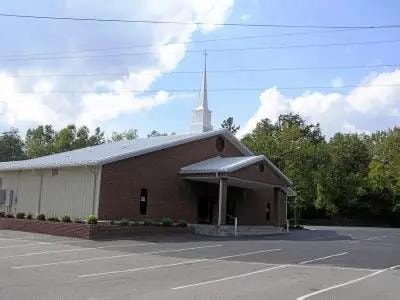
Kings Mountain territory — active church partners
The following churches are identified as potential or active partners in the Kings Mountain territory. Church names for the sunburst cross and triple mountain logo partners are pending confirmation.
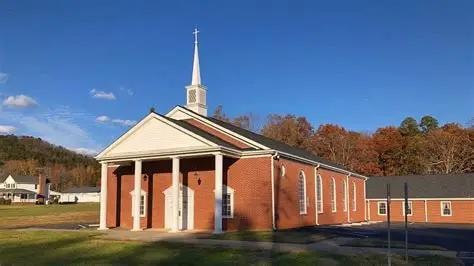
First Baptist Church
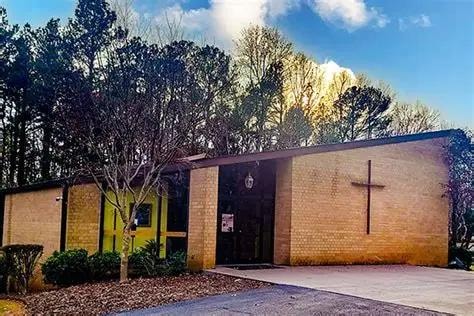

Church partner — name pending
Sunburst cross logo

Church partner — name pending
Triple mountain logo
Kings Mountain Crisis Ministry is also a community partner. See /church-partnership for the full partnership deck.
Managing active partnerships
How many churches can I partner with?
Up to five per CC territory. This limit exists to keep each partnership meaningful — a CC with five active church partners has a significant acquisition network. More than five becomes unmanageable.
What is my ongoing responsibility to a church partner?
Keep the church leadership informed of how many congregation members are active subscribers and what that means for their fundraising income. A quarterly update is a reasonable cadence. The relationship is ongoing — treat it like a business partnership, not a one-time transaction.
What if a church wants to exit the partnership?
Respect the decision. Notify your District Captain. The revenue-sharing arrangement will be wound down. Do not pressure a church to stay in a partnership they want to exit.
Can a church partner in a neighboring territory?
No. Church partnerships are scoped to the CC's territory. A church in another CC's territory is that CC's opportunity to pursue.
What if I have not filled all five slots?
Keep prospecting. Five active church partners is a significant competitive advantage. Every unfilled slot is a revenue stream and acquisition channel you are leaving on the table.
The church partnership in one sentence
You are not asking a church to fundraise — you are offering them a recurring income stream tied to a service their congregation already needs. Present it that way, and the conversation changes entirely.
Section 8
Training & Resources
Every role in the RBJ franchise has a dedicated training hub on this website. As City Captain, you are responsible for completing your own training and ensuring every Jack on your roster completes theirs before running a route. This section maps every training resource, explains who it is for, and tells you where to find it.
Training hubs by role
Jack Training
RequiredField workers — bin washing and rollback
- Service standards and quality expectations
- Bin washing technique and equipment
- Rollback procedure and curb protocol
- Route management and trash day schedule
- Customer interaction and professionalism
- Exception handling — missed stops, complaints
- Jack pay structure
CC note: Every Jack must complete this training before running a single route. The hub tracks completion. Do not assign a Jack to customers until training is marked complete.
City Captain Training
RequiredCC franchise owners
- Franchise overview and SaaS model
- Dashboard walkthrough
- Customer assignment and route management
- Billing and mark-paid workflow
- Hiring and Jack management
- Church partnership program
- Escalation and upline communication
CC note: Your own training. Complete this before you begin operating your territory.
Sales Rep Training
Door-to-door and community sales reps
- Resident pitch and objection handling
- How to use the Push to Jack workflow
- Sales rep pay structure
- Territory and route boundaries
CC note: If you recruit sales reps to help grow your territory, direct them here first.
Pastor / Church Partner Training
Church leaders considering a partnership
- Walk 1 — Introduction to the RBJ model
- Walk 2 — Revenue and fundraising mechanics
- Walk 3 — Onboarding and partnership setup
CC note: Send this link to a pastor after your initial meeting. It walks them through the partnership at their own pace.
Operational resources
These pages are tools you will use regularly as an active CC — not one-time training, but ongoing operational references.
Captain Resources
/captain-resourcesService bag contents, route management reference, billing action guide. Your operational quick-reference page.
CC Customer Assignment Dashboard
/cc/dashboardAssign Jacks, monitor billing status, mark monthly customers paid, track hiring capacity. Your primary daily tool.
Progress Portal
/progress-portalRole-aware portal entry point. Redirects to the correct dashboard based on your login role.
Pricing Chart
/pricing-chartStandalone pricing reference with QR code. Share with residents or post at community events.
Resident Signup
/en/signupThe resident-facing signup flow. Share this link with prospective customers.
Pay My Bill
/payThe resident-facing renewal flow. Share with customers when their billing period is approaching.
W-9 Form
/forms/w9Required for all Jacks before they begin work. Send this link to every new Jack hire.
Church Partnership Deck
/church-partnership13-slide presentation for pastor meetings. Walk through it in order.
Tax forms
W-9
/forms/w9Who
All Jacks (independent contractors)
When
Before a Jack runs their first route. No exceptions.
Details
The W-9 collects the contractor's taxpayer identification information. It is required by law for any contractor paid $600 or more in a calendar year. Collect it before work begins — not after.
W-2
/forms/w2Who
Any W-2 employees (if applicable)
When
At year-end for any employees on payroll.
Details
If your territory structure includes any W-2 employees rather than independent contractors, the W-2 form is available here. Consult your District Captain and a tax professional if you are unsure which classification applies.
JackNavigator — your AI assistant
The JackNavigator chat widget is available throughout the site. It is an AI assistant trained on the RBJ franchise model. Use it to get quick answers to operational questions, look up process steps, or clarify anything in this handbook.
JackNavigator is a supplement to this handbook, not a replacement for it. For anything involving money, legal obligations, or escalation decisions, use the handbook and your upline — not the chat widget.
The training rule
No Jack runs a route without completing Jack Training. No CC operates a territory without completing CC Training. The training hubs exist so that every person in the system knows exactly what is expected of them before they begin. Use them.
Section 9
Quick Reference
Everything a City Captain needs at a glance — key pages, billing badge meanings, hiring thresholds, plan pricing, and escalation contacts. Bookmark this section.
Key pages — CC daily toolkit
CC Dashboard
/cc/dashboardAssign Jacks, billing status, mark paid, capacity bar
Progress Portal
/progress-portalRole-aware login redirect
Captain Resources
/captain-resourcesService bag, route management, billing actions
Resident Signup
/en/signupShare with prospective customers
Pay My Bill
/payShare with customers at renewal time
Pricing Chart
/pricing-chartQR-ready pricing reference for community events
Jack Training Hub
/training/jackRequired — every Jack before first route
CC Training Hub
/training/ccRequired — complete before operating territory
Church Partnership Deck
/church-partnership13-slide pastor presentation
Pastor Walk
/walk/1Self-paced pastor onboarding — send after meeting
CC Application
/en/contractsRefer Jack candidates who want to grow into CC
W-9 Form
/forms/w9Required for all Jacks before work begins
W-2 Form
/forms/w2Year-end — W-2 employees only
Plan pricing — all periods
Quarterly saves ~8% · Annual saves ~20% vs monthly rate
Billing badge cheat sheet
Hiring thresholds
1 Jack = 2,000 customer capacity · Hire at amber, ready by red
Chain of command — who to contact
Jack
→ reports to City Captain (you)Escalate: Missed routes, quality issues, W-9, pay questions
City Captain (you)
→ reports to District CaptainEscalate: Cancellations, billing disputes, church partnerships, Jack removal
District Captain
→ reports to State SponsorEscalate: Territory conflicts, CC performance, revenue-sharing agreements
State Sponsor
→ reports to Zone CoordinatorEscalate: State-level expansion, DC onboarding, stakeholder alerts
Zone Coordinator
→ reports to RBJ NationalEscalate: Zone-level strategy, SS onboarding, milestone reporting
Rules of the road
No Jack runs a route without completing Jack Training.
No CC operates a territory without completing CC Training.
Never mark a customer paid without confirming payment in SwipeSimple.
Never delete a customer record — flag status changes to your DC.
Hire at the amber alert. Have the Jack ready before the red.
Never leave a customer unassigned — unassigned means unserviced.
Collect the W-9 before a Jack works a single route. No exceptions.
Max 5 church partners per CC territory.
Church partnerships are territory-scoped — do not poach neighboring CCs.
Escalate cancellations and billing disputes to your DC — do not resolve unilaterally.
You are ready.
This handbook covers everything you need to operate your territory — the franchise structure, the daily workflow, billing, hiring, church partnerships, training, and every tool on this website. The system is built. The playbook is written. Your territory is waiting.